
Last updated November 15, 2026
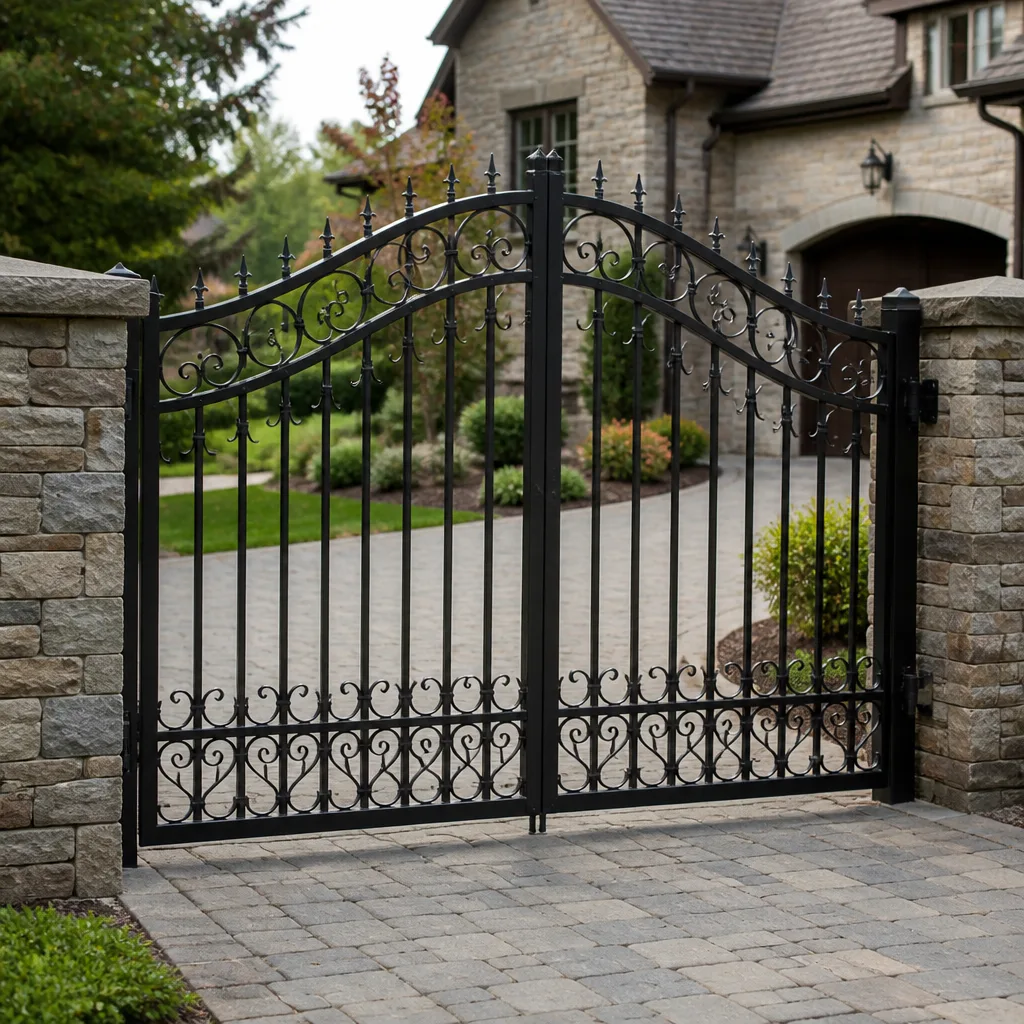 Wrought iron
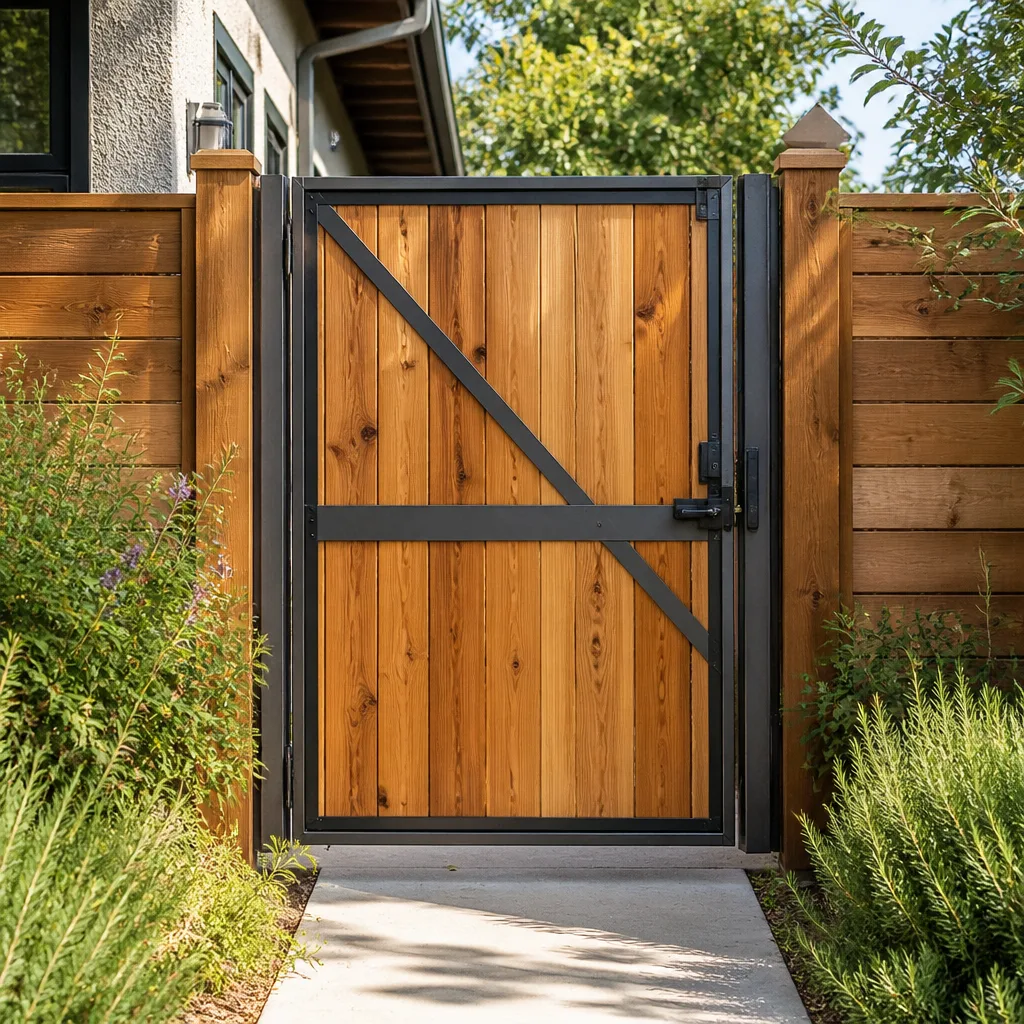 Wood & steel frame
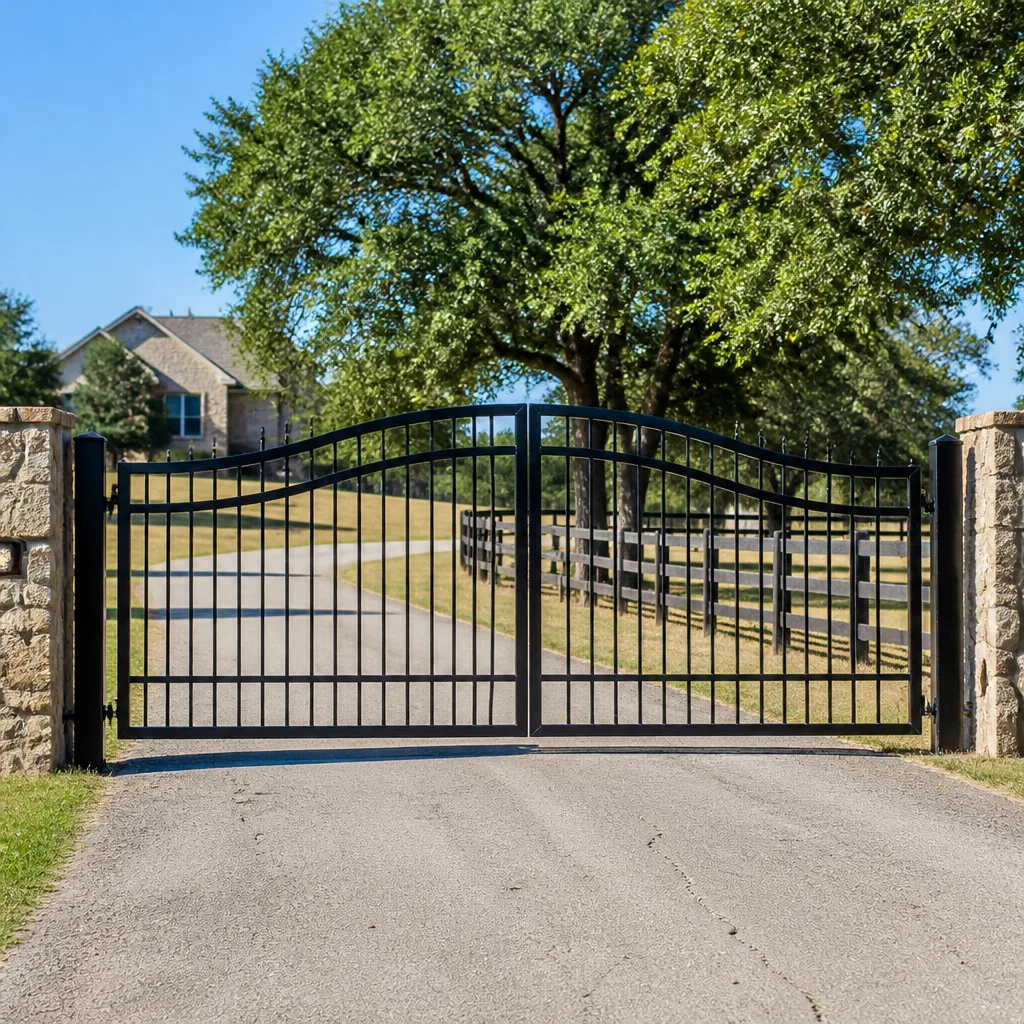 Farm & ranch
 Sliding driveway gates
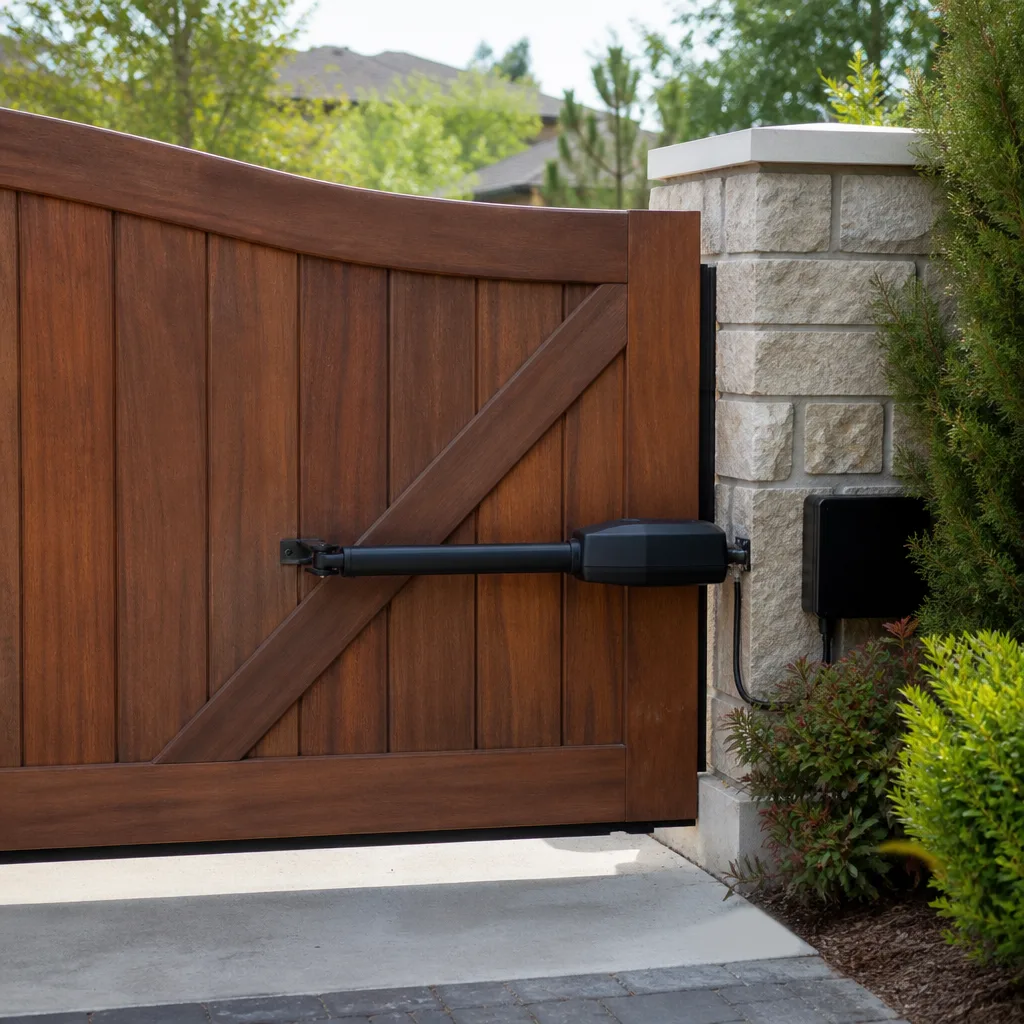 LiftMaster operators
Free on-site gate assessment - hinges, posts, and your LiftMaster or Nice gate operator checked before anything is quoted
The assessment is free and the quote is the invoice.
Get your free estimateGate Repair Emergency Preparedness Guide for Pembroke Pines Homes
Most gate emergencies we’re called about aren’t really gate problems at all. They’re information problems. A motor stops mid-cycle, someone can’t find the manual release, the model number is nowhere on the property, and a driveway sits blocked or wide open while everyone stands around guessing. The gate itself usually needs a part and an hour of work. What turns that into a bad day is the scramble that comes first. So this guide is built around a decision you can make before anything fails: what to do when your gate sticks open, and what to do when it sticks closed. Those are opposite emergencies. Getting them backward makes things worse. Below you’ll find the manual release basics, a storm triage walkthrough, what to document now, and who to call in what order around Pembroke Pines.
Quick Answer
A gate stuck open is a security emergency, and a gate stuck closed is an access emergency. For a stuck-open gate, move people and vehicles inside, get the gate physically closed if it’s safe, and call a specialist. For a stuck-closed gate, use the operator’s manual release to open it by hand, then call. Every homeowner should know where that release is before they need it. Call (877) 748-7198 to book a repair, and we’ll walk you through what’s safe to try while you wait. We answer 24/7. Fast dispatch from 7am to 7pm, Sunday through Friday.
Styles & brands we work with
- Wrought iron
- Wood & steel frame
- Farm & ranch
- Sliding driveway gates
- LiftMaster operators
Table of Contents
- The Two Kinds of Gate Emergencies (and Why They Need Opposite Responses)
- Manual Release: Where It Is on the Brands We See Most
- Power Failure Protocol: How Battery Backup Really Works
- Storm Damage Triage: Is Your Gate Safe to Move?
- Who to Call, in What Order, During a Gate Emergency
- Pre-Emergency Documentation: The File You Build Before Anything Breaks
- Why Gates Age Fast in Pembroke Pines Conditions
- Common Mistakes to Avoid
The Two Kinds of Gate Emergencies (and Why They Need Opposite Responses)
Here’s the counterintuitive part. The same symptom – gate won’t move – describes two emergencies that pull in opposite directions. Your default reaction to one is exactly wrong for the other. In our experience, this is where most of the real trouble starts.
A gate stuck open is a security emergency. Your property is now exposed to the street. The priority is to close or secure the opening as fast as possible. That may mean putting vehicles inside the property, physically barring the gate, or getting someone out to close it manually. Speed matters, but safety comes first: never stand in the path of a heavy sliding panel or reach under a swing gate to force it.
A gate stuck closed is an access emergency. Nothing is exposed, but people and vehicles can’t get through. The priority is a controlled manual open using the operator’s release, not force. Forcing a gate against a jammed operator can bend stops, strip a carriage, or damage the control board – turning a small repair into a bigger one.
Decision Tree: Which Emergency Is This?
- Gate is open and won’t close → treat as security. Secure the perimeter first, then arrange service.
- Gate is closed and won’t open → treat as access. Try the manual release before anything else.
- Gate is partway and stopped → treat as a mechanical fault. Do not run the operator again; cycling a jammed system stresses the motor and control board.
- Gate is moving on its own or reversing unexpectedly → power it down at the breaker if you can reach it safely, then call.
Knowing which emergency you’re facing in advance turns panic into a checklist. That’s the whole point of preparedness, especially in a Pembroke Pines neighborhood where a gate may control access to dozens of homes behind one entrance.
Manual Release: Where It Is on the Brands We See Most
If you learn one thing from this guide, learn where your gate’s manual release lives. It’s the single most useful piece of knowledge in a power outage or motor failure, and it’s also the step most homeowners skip until they’re stuck.
Manual release locations vary by operator brand and model. On residential sliding-gate operators, the release is usually a keyed lever or a pull handle on the operator housing, and disengaging it lets you slide the gate by hand. On swing-gate operators, expect a release key or lever on the arm or on the operator housing, freeing the arm so you can swing the leaf manually. On heavier commercial-style systems – the kind found on managed entrances and larger residential communities – the release is often keyed and positioned on the operator itself, sometimes with a separate hand-crank or override depending on the model.
Before You Need It: Learn Your Release
- Locate the manual release on your operator while the gate works normally.
- Refer to your owner’s manual for your exact model – release procedure differs between a Mighty Mule residential opener and a DoorKing commercial-grade system.
- Keep any release key in a known, secure place off the gate itself, and give a copy to whoever else needs access.
- Practice disengaging and re-engaging the release once, with the gate powered down, so you understand the feel.
When a gate won’t open, this is where you look first. If you can’t find the release or the procedure isn’t working, that’s a call to a specialist rather than a reason to force the gate. We work on gates – only gates – which means our technicians are familiar with the release layouts across LiftMaster, FAAC, Linear, Mighty Mule, Ghost Controls and more, and can walk you through yours. Electric gate acting up? That’s exactly what we’re built for.
Power Failure Protocol: How Battery Backup Really Works
Many modern gate operators offer battery backup, and homeowners tend to assume it means the gate keeps working like nothing happened. It doesn’t work quite that way, and understanding the gap is what prevents a nasty surprise.
Battery backup keeps the operator able to cycle the gate for a limited period after utility power is lost. The runtime depends heavily on the load: how many cycles you run, how heavy the gate is, how well the batteries are charged, and how old they are. A residential driveway gate that opens a few times a day draws far less than a busy managed entrance opening dozens of times an hour. In other words, real runtime under normal cycle loads is a function of your specific gate, not a fixed number – and a heavy or aging battery system can quietly stop holding a charge and provide almost no backup at all.
The silent failure is the dangerous part. A backup battery that’s degraded doesn’t announce itself. It sits there looking fine and only reveals the problem the one time you need it. That’s why it’s worth having the batteries and charging circuit checked as part of ordinary upkeep, rather than discovered during an outage.
What to Do When the Power Goes Out
- Don’t assume backup will cover you – if the gate doesn’t respond, switch to the manual release plan.
- Conserve cycles: if the operator runs on battery, open or close only when you truly need to, saving runtime.
- Check whether the gate is stuck open (security emergency) or stuck closed (access emergency) and follow the matching response.
- If the gate won’t move even with power restored, the fault is mechanical or electronic – that’s a repair call.
If your electric operator has stopped responding entirely, our electric gate repair covers the control board, sensors and power side of the system, not just the mechanical gate.
Storm Damage Triage: Is Your Gate Safe to Move?
After a strong storm rolls through Pembroke Pines, the instinct is to hit the remote and see if the gate still works. Pause first. A gate that took wind or impact damage can look fine and still be unsafe to operate. Here’s the sequence for assessing it safely before you touch the remote.
Storm Triage, Step by Step
- Look for debris first – branches, palm fronds, fencing or loose objects wedged in the track or under a swing leaf. Clear debris only if you can do it safely and the gate is powered down.
- Check for structural movement: a sliding gate that has come off its track or sits crooked, or a swing gate with a bent hinge post, is not safe to power. Don’t run it.
- Inspect the gate frame and posts for bowing or separation. If the structure has shifted, running the operator can twist the carriage or crush a leaf.
- Check for standing water around the operator and any exposed wiring. Water and live electronics don’t mix – keep clear until everything is dry.
- Only after the gate is clear, straight and dry do you test the operator – and if it cycles strangely, stop.
Florida’s afternoon storms and hurricane-season winds put real stress on gates, and the most common post-storm failures are structural (off-track or bent) rather than electronic. If the gate is off its track, bent, or won’t run despite power, don’t force it. That’s a specialist call. Our experienced technicians know FAAC and Elite systems well, which means the diagnosis starts with knowledge instead of guesswork.
Who to Call, in What Order, During a Gate Emergency
The order matters more than people expect. Calling in the right sequence saves time and gets a specialist out faster with the right part. Here’s the sequence we recommend, followed by the information to have ready.
The Order of Calls
- Secure or open the gate first – handle the immediate safety and access issue using the release if needed. No one should stand in the gate’s path.
- Document the fault – note what the gate was doing, whether it moved at all, any noise, and whether power is on. A short phone video helps.
- Call a gate specialist – call (877) 748-7198. We answer 24/7. Fast dispatch from 7am to 7pm, Sunday through Friday. A call outside dispatch hours is booked into the next opening, Sunday through Friday, 7am to 7pm.
- If the property is managed, notify the HOA or property manager – for shared entrances, they may need to act on their side of the system, and they’ll appreciate being looped in early.
What to Have Ready When You Call
- Your gate operator brand and, if you know it, the model – a Mighty Mule, Ghost Controls, Elite or DoorKing label is enough to start.
- Whether the gate is manual or electric/automated, and sliding or swing.
- What happened in plain terms: stuck open, stuck closed, won’t respond, cycling oddly, or making noise.
- Whether the property has power and whether the operator responds at all.
- Any access codes or entry instructions needed to reach the gate.
Having these details ready is the difference between a call that produces an appointment and one that produces a callback. It’s the same information we ask for first, so we’ve put it all in one place for you. For a broader look at what repair involves, our gate repair page explains the typical fixes on each system type.
Pre-Emergency Documentation: The File You Build Before Anything Breaks
This is the section that pays for itself. In our experience, the single biggest time-waster in a gate emergency is the hunt for information nobody saved: the model number, the installer’s details, the access code, the release instructions. When a technician has to spend the first part of a visit identifying your system, the repair is slower and more uncertain. When the information is already collected, repairs can start almost immediately.
What to Put in Your Gate File
- Photos of the operator housing, the brand label and the control board area. The label alone can settle the model quickly.
- Photos of the gate itself, front and back, closed and open.
- The owner’s manual, or the model number written down. Manufacturers’ manuals explain the manual release and the backup behavior for your system.
- The brand and model of the operator and any separate keypad or access controller.
- Access codes and entry instructions for anyone who might need to reach the gate – including your service contact.
- Details of who installed the system originally, if you know them – it’s useful when a gate was built by an earlier owner.
Where to Store It
Don’t keep the file on the property. If the home floods or a file cabinet is inaccessible, you want a copy in the cloud or with a family member. A shared folder on your phone is enough. The goal is simple: if the gate fails tomorrow, the information is already available.
Pembroke Pines homes change hands often, and an older gate may have been installed by a previous owner, which means the docs and model details can be long gone. If your gate file is empty, our team can help identify the system when we arrive. This kind of preparedness is the backbone of managing an electric gate repair situation calmly rather than reactively.
Why Gates Age Fast in Pembroke Pines Conditions
Gates here live a harder life than in most of the country. Pembroke Pines sits in South Florida, where humidity is high most of the year, summer storms are frequent and intense, and the sun is relentless on metal, paint and plastic housings. That combination is tough on gate hardware, and it explains a lot of the failures we’re called about.
Common weather-driven problems include:
- UV breakdown on plastic operator components and sensors, making brittle parts crack over time.
- Moisture in electrical enclosures – gates on the perimeter of a property often have operator boxes exposed to rain and humidity, and moisture accelerates control-board failures.
- Storm impact – wind-blown debris and fallen branches bend tracks, hinges and posts.
- Corrosion on moving parts – hinges, rollers and carriage assemblies tighten up and start to strain the operator.
Because the climate is hard on gate systems, the maintenance mindset that works elsewhere doesn’t work here. Cycles add up faster, batteries degrade faster, and a gate that “mostly works” can go from quirky to failed in one storm. That’s why we always recommend resolving the early warning signs rather than waiting for a lockout – and it’s why knowing the release and keeping a gate file are so important around Pembroke Pines.
Tidewater Gate Repair is a Tidewater Gate Repair specialist for this exact reason: the trade is gate-only, so every visit is a gate call. We handle residential and commercial systems across both manual and electric setups, and we know how these conditions play out locally. For a closer look at the work we do around Pembroke Pines, that’s the place to start.
Common Mistakes to Avoid
- Forcing a gate that’s jammed closed. Pushing a swing leaf or dragging a sliding gate against a stuck operator can bend stops, strip a carriage or damage the motor. Use the manual release, not muscle.
- Guessing your release location during an outage. Every operator model differs, and hunting for the release in the dark – especially on a heavier DoorKing or Elite system – wastes the one calm moment you have. Learn it now.
- Assuming battery backup means business as usual. It buys limited runtime based on your gate’s load, and a degraded battery can fail silently. Check it before you need it.
- Running a storm-damaged gate to “see if it works.” If the gate is off its track, bent, or the posts have shifted, powering it can turn a track repair into a bigger structural job. Inspect first.
- Calling a general handyman for a gate problem. Gates have their own hardware, control systems and safety sensors. A specialist who knows your brand will diagnose faster than someone learning the system on your gate.
- Failing to have information ready at the gate. No model number, no release instructions, no access code – the first part of every visit is spent hunting. Keep a gate file off-site and hand it over when you call.
- Ignoring the early warning signs. A gate that hesitates, reverses, grinds or cycles oddly is telling you something. Resolve it before it turns into a lockout during a storm.
When to Call a Professional
Some gate problems can wait for a scheduled visit. Others shouldn’t wait at all. Call a professional when the gate won’t move, when a sliding gate has come off its track, when a swing gate is bent or the hinges are failing, when an electric operator won’t respond to the remote, or when the gate cycles on its own. Call as well after any storm that visibly damaged the gate, and if you have a shared or HOA entrance where a fault exposes the whole community. Don’t risk injury or property damage to avoid the call. Tidewater Gate Repair offers free estimates in Pembroke Pines – call (877) 748-7198. We answer 24/7. Fast dispatch from 7am to 7pm, Sunday through Friday.
See the difference
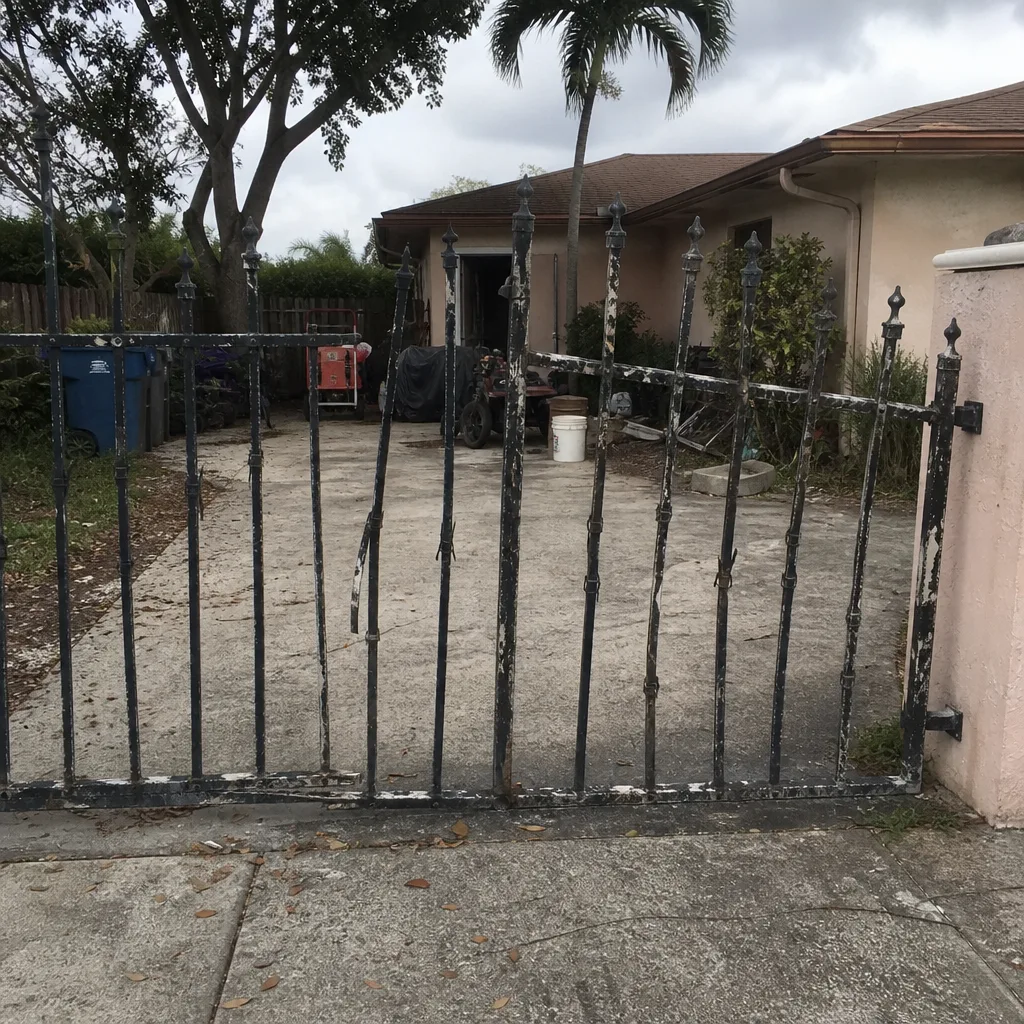 Before
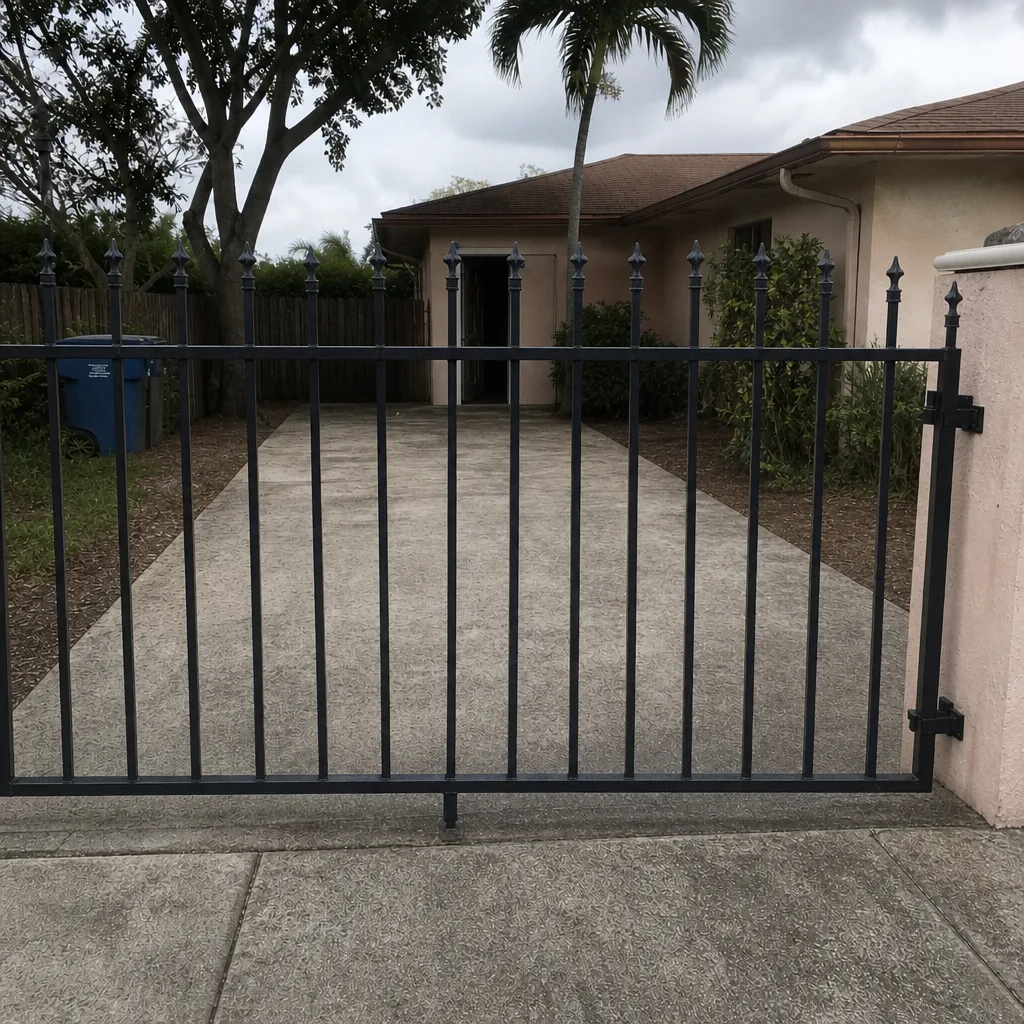 After
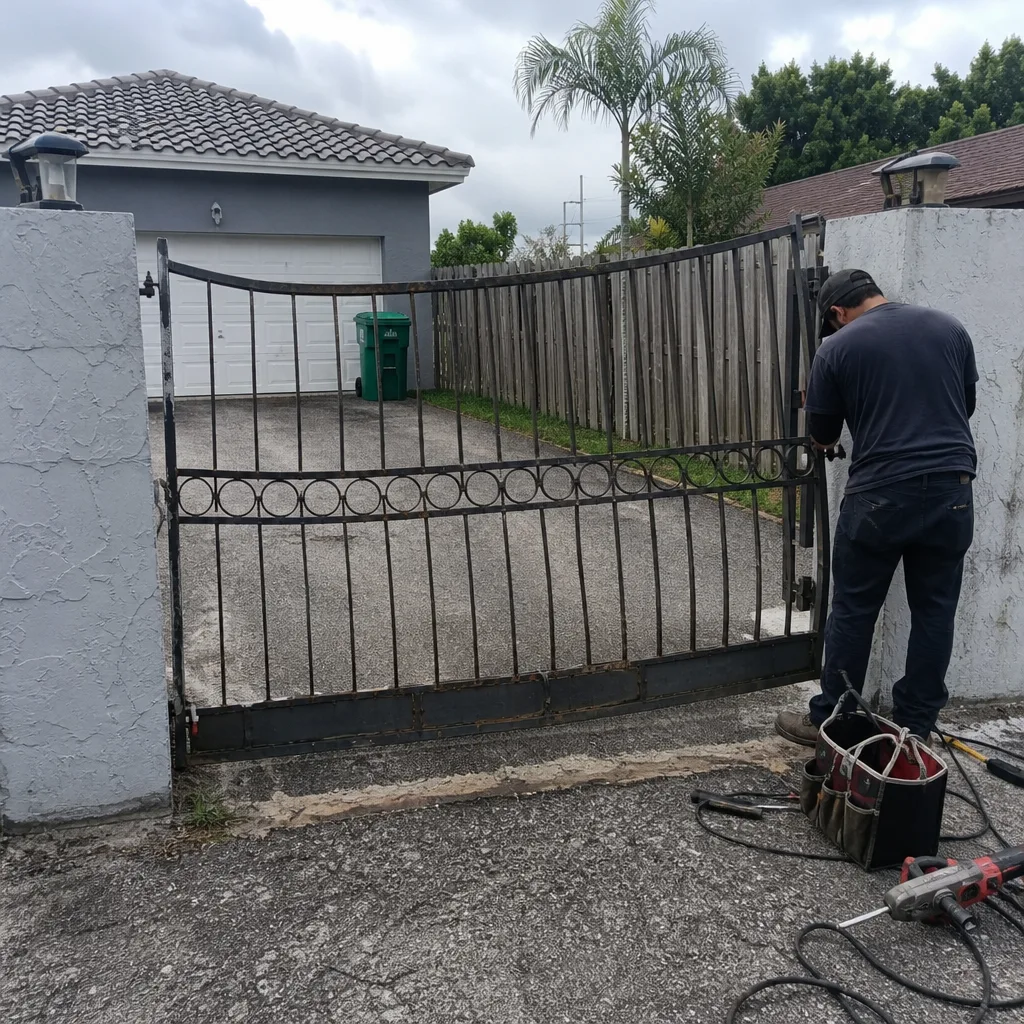 Before
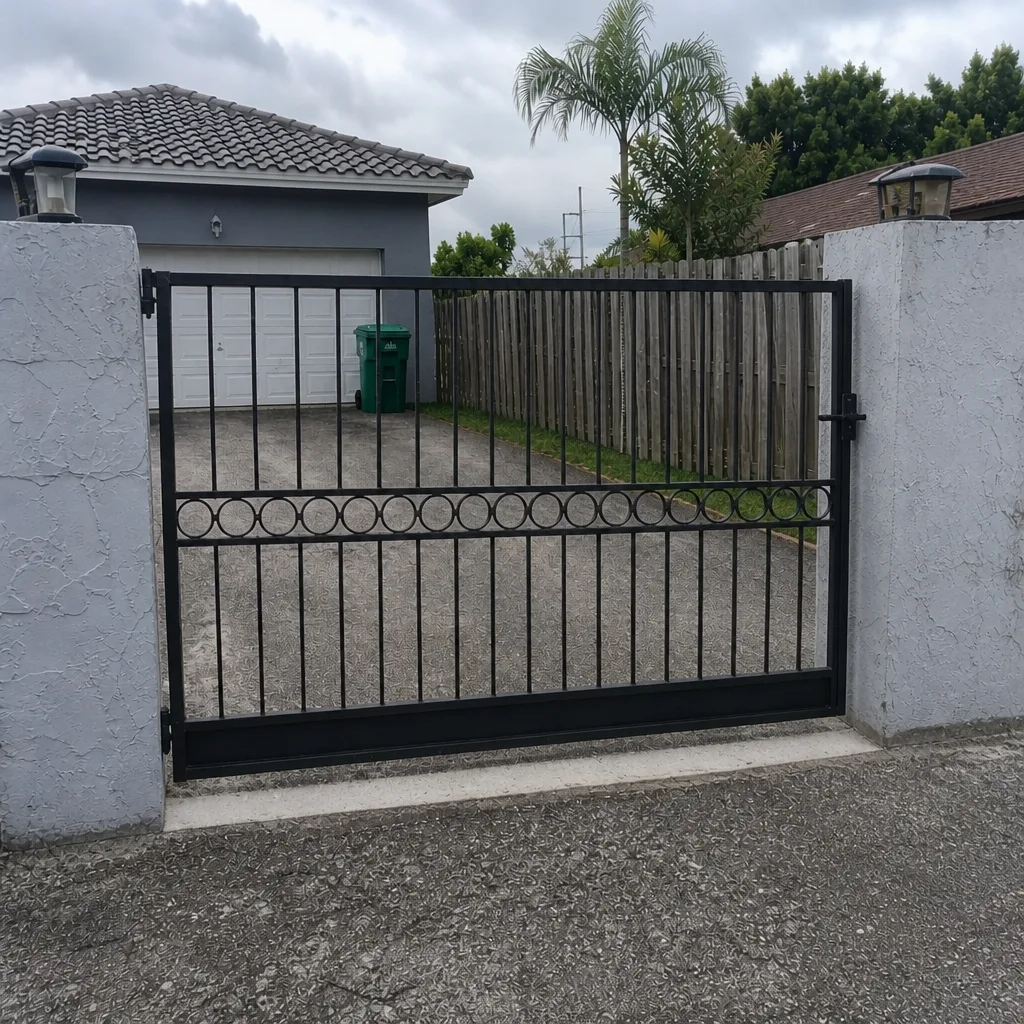 After
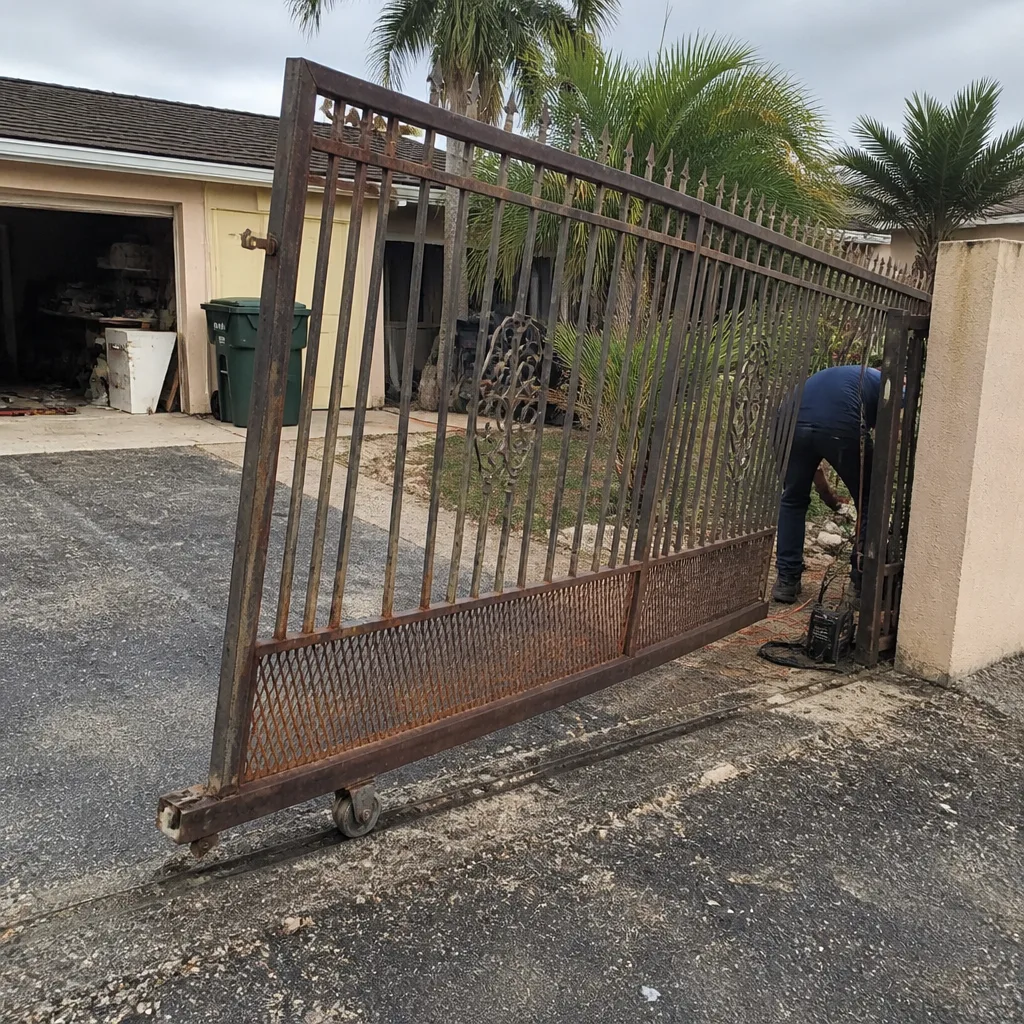 Before
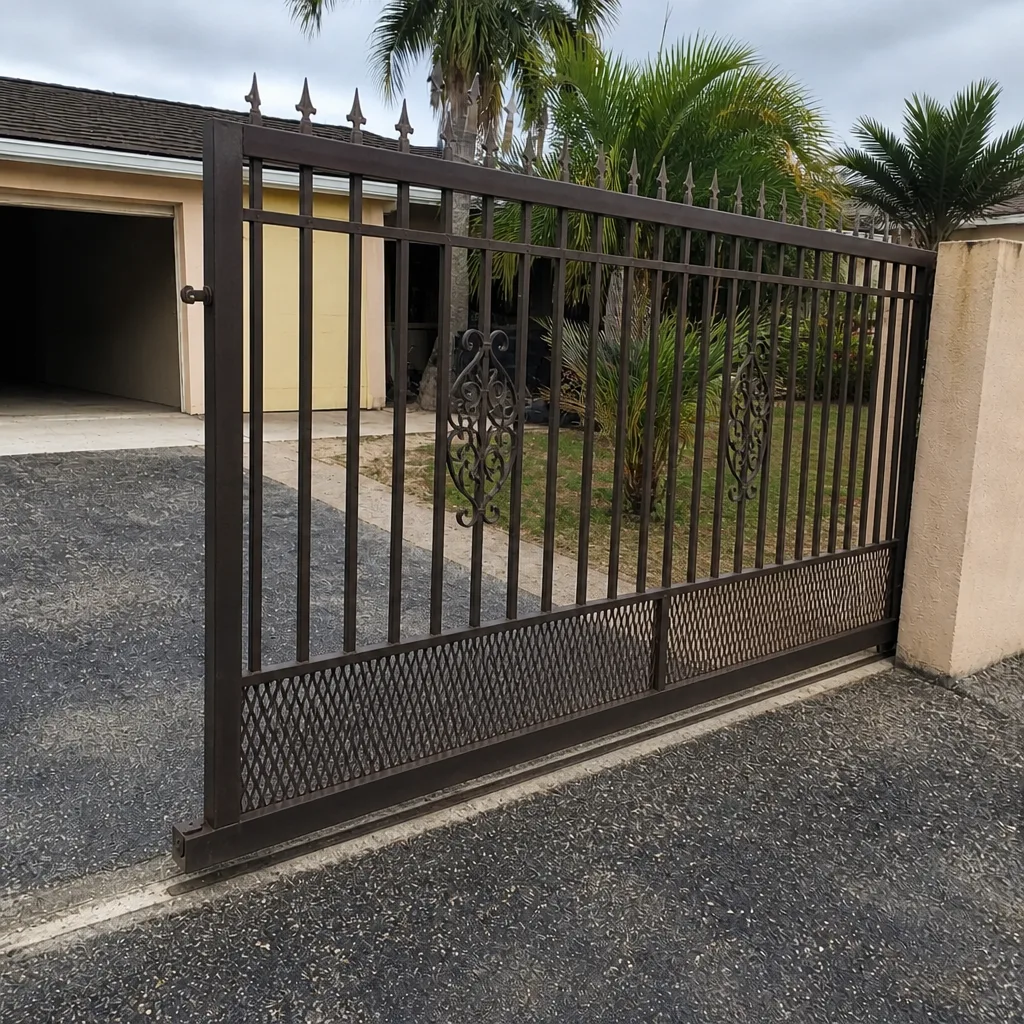 After
Frequently Asked Questions
Treat it as a security emergency and secure the opening first. Move vehicles and people inside, get the gate physically closed or barred if you can do it safely, and then call a specialist. Never stand in the path of a heavy sliding panel or reach under a swing gate to force it. If your gate is stuck open and won’t close, call (877) 748-7198 for a repair visit.
Check the owner’s manual for your specific model first, because release locations differ between brands. On many residential sliding and swing operators the release is a keyed lever or handle on the operator housing or arm; heavier commercial-style systems often use a keyed release on the operator itself. If you can’t find it or the procedure isn’t working, don’t force the gate – call us and a technician can help.
It keeps the operator able to cycle the gate for a limited period, but runtime depends on the gate’s load, cycle frequency, and the age and condition of the batteries. A degraded battery can fail silently and provide almost no backup. If the gate won’t respond during an outage, switch to your manual release plan and book a repair.
Not always. If the gate is off its track, bent, or the posts have shifted, do not power it – running the operator can make the damage worse. Clear debris safely, check for standing water and exposed wiring, and keep clear until everything is dry. If the structure has moved, call a specialist before operating.
Have your operator brand and model if you know it, whether the gate is manual or electric and sliding or swing, what the gate is doing in plain terms, whether the property has power, and any access codes needed to reach the gate. That’s the same information we ask for first, so it speeds up the appointment. Call (877) 748-7198 for a free estimate.
A gate specialist is the better call because gates have their own hardware, control systems and safety sensors, and the diagnosis is faster when the technician already knows your brand. A specialist also covers both manual and electric systems and the full arc from repair to installation. For a free estimate in Pembroke Pines, call (877) 748-7198 – we answer 24/7, with fast dispatch from 7am to 7pm, Sunday through Friday.
The Bottom Line
Gate emergencies in Pembroke Pines come down to one decision you can make today: is your gate stuck open or stuck closed? Stuck open means secure your perimeter and call. Stuck closed means use the manual release and call. The people who handle a gate failure best aren’t the ones who react fastest – they’re the ones who already know their release, keep a gate file off-site, understand what their battery backup really does, and inspect before they operate after a storm. Those habits turn a lockout into a manageable hour. Our technicians have up to 9 years of experience with these systems, and we can help you get prepared before the next failure, or get you moving again if you’re facing one right now. You can learn more about our full range of work at /pembroke-pines-fl/.
Need help now? Call (877) 748-7198 for a free estimate. We answer 24/7, with fast dispatch from 7am to 7pm, Sunday through Friday. We work on gates – only gates – so whether your property runs a LiftMaster or a FAAC, we already know the system.
Written by the team at Tidewater Gate Repair.